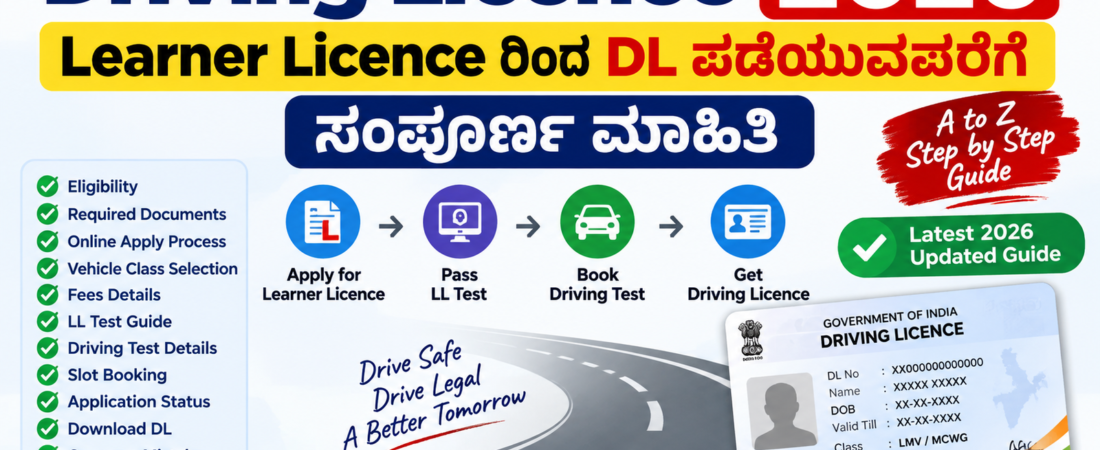
Learner Licence (LL) ಪಡೆಯುವುದರಿಂದ Permanent Driving Licence (DL) ಪಡೆಯುವವರೆಗೆ ಬೇಕಾಗುವ ಮುಖ್ಯ ಹಂತಗಳು, documents, fees, online application, test, status check ಮತ್ತು ಸಾಮಾನ್ಯ ಸಮಸ್ಯೆಗಳನ್ನು ಈ guideನಲ್ಲಿ ಸರಳವಾಗಿ ತಿಳಿಸಲಾಗಿದೆ.
1. Driving Licence ಎಂದರೇನು?
Driving Licence (DL) ಅಂದರೆ ಸಾರ್ವಜನಿಕ ರಸ್ತೆಯಲ್ಲಿ motor vehicle ಚಾಲನೆ ಮಾಡಲು ಕಾನೂನುಬದ್ಧವಾಗಿ ನೀಡಲಾಗುವ licence. ಹೊಸ applicant ಸಾಮಾನ್ಯವಾಗಿ ಮೊದಲು Learner Licence ಪಡೆಯಬೇಕು. ನಂತರ ಅಗತ್ಯ learning period ಮುಗಿಸಿ driving test ಪ್ರಕ್ರಿಯೆ ಪೂರ್ಣಗೊಳಿಸಿದ ಬಳಿಕ Permanent Driving Licence ಪಡೆಯಬಹುದು.
2. Learner Licence ಮತ್ತು Permanent DL ನಡುವಿನ ವ್ಯತ್ಯಾಸ
| ವಿಷಯ | Learner Licence | Driving Licence |
|---|---|---|
| ಉದ್ದೇಶ | ಕಲಿಯಲು | ಅನ್ವಯಿಸುವ vehicle class ಚಾಲನೆಗೆ |
| ಮುಂದಿನ ಹಂತ | Driving testಗೆ ಮುನ್ನದ ಹಂತ | Licence issue |
3. Eligibility – ಯಾರು Apply ಮಾಡಬಹುದು?
- Non-transport vehicleಗೆ ಸಾಮಾನ್ಯವಾಗಿ 18 ವರ್ಷ ಪೂರ್ಣಗೊಂಡ applicant apply ಮಾಡಬಹುದು.
- ನಿರ್ದಿಷ್ಟ ಕಡಿಮೆ ವಯಸ್ಸಿನ gearless two-wheeler categoryಗಳಿಗೆ ಕಾನೂನಿನ ವಿಶೇಷ conditions ಅನ್ವಯಿಸಬಹುದು.
- Transport vehicleಗೆ ಹೆಚ್ಚುವರಿ age/eligibility conditions ಅನ್ವಯಿಸುತ್ತವೆ.
ಮುಖ್ಯ: ನಿಮ್ಮ age, vehicle class ಮತ್ತು serviceಗೆ portalನಲ್ಲಿ ತೋರಿಸುವ current eligibility ಅನ್ನು ಅಂತಿಮವಾಗಿ ಪರಿಶೀಲಿಸಿ.
4. ಬೇಕಾಗುವ Documents
- Aadhaar ಅಥವಾ ಮಾನ್ಯ identity proof
- Age proof
- Address proof
- Active mobile number
- ಅನ್ವಯಿಸುವ Form 1 – physical fitness self-declaration
- ಅನ್ವಯಿಸುವ ಸಂದರ್ಭಗಳಲ್ಲಿ Form 1A medical certificate
- Minor applicantಗೆ ಅನ್ವಯಿಸುವ parent/guardian consent
Portal ನಿಮ್ಮ application/categoryಗೆ ಕೇಳುವ exact documentsನ್ನೇ follow ಮಾಡಿ.
5. Official Website
ಕರ್ನಾಟಕದಲ್ಲಿ online Learner Licence ಮತ್ತು Driving Licence servicesಗಾಗಿ Sarathi Parivahan portal ಬಳಸಲಾಗುತ್ತದೆ.
👉 Sarathi Parivahan – Official Portal
👉 Parivahan Sewa – Official Website
6. New Learner Licence Apply – Step by Step
Step 1: Sarathi website Open ಮಾಡಿ
Sarathi Parivahan official website open ಮಾಡಿ. ನಂತರ State Name ಕೇಳಿದರೆ Karnataka ಆಯ್ಕೆ ಮಾಡಿ.
Step 2: Learner Licence Service ಹುಡುಕಿ
Portalನಲ್ಲಿ Learner Licenceಗೆ ಸಂಬಂಧಿಸಿದ service ಆಯ್ಕೆ ಮಾಡಿ. New applicant ಆಗಿದ್ದರೆ New Learner Licence / Application for New Learner Licence ಎಂದು ಕಾಣಿಸುವ option ಆಯ್ಕೆ ಮಾಡಿ.
Step 3: Authentication / Application method
Portal ನಿಮ್ಮ applicationಗೆ ಲಭ್ಯವಿರುವ authentication method ತೋರಿಸುತ್ತದೆ. Aadhaar/eKYC ಅಥವಾ ಇತರ available method ಇದ್ದರೆ instructions ಪ್ರಕಾರ complete ಮಾಡಿ.
Step 4: Applicant Details
ಹೆಸರು, date of birth, gender, mobile number, address ಮುಂತಾದ ವಿವರಗಳನ್ನು valid documentsನಲ್ಲಿ ಇರುವಂತೆ ತುಂಬಿ.
Step 5: Vehicle Class ಆಯ್ಕೆ
ನೀವು licence ಪಡೆಯಲು ಬಯಸುವ vehicle categoryಗೆ ಸರಿಯಾದ class ಆಯ್ಕೆ ಮಾಡಿ. ಉದಾಹರಣೆಗೆ applicable motorcycle category ಅಥವಾ Light Motor Vehicle (LMV) category. ನಿಮ್ಮ vehicleಗೆ ಸರಿಯಾದ classನ್ನೇ ಆಯ್ಕೆ ಮಾಡುವುದು ಮುಖ್ಯ.
Step 6: Documents / declarations
Portal ಕೇಳುವ documents ಅಥವಾ declarations ಅನ್ನು upload/submit ಮಾಡಿ. Online verification ಇದ್ದರೆ portal instructions follow ಮಾಡಿ.
Step 7: Application Submit
ಎಲ್ಲಾ details verify ಮಾಡಿ application submit ಮಾಡಿ. Submit ಆದ ನಂತರ Application Number save ಮಾಡಿ.
Step 8: Fee Payment
Portalನಲ್ಲಿ Fee Payment option ಮೂಲಕ applicable fee pay ಮಾಡಿ. Payment ಆದ ನಂತರ receipt/transaction details save ಮಾಡಿ.
Step 9: Learner Licence Test
ಅನ್ವಯಿಸುವ LL test complete ಮಾಡಿ. Traffic signs, road rules, road safety ಮತ್ತು basic traffic regulations ಬಗ್ಗೆ ಪ್ರಶ್ನೆಗಳು ಬರಬಹುದು.
Step 10: Learner Licence Status
Application/status section ಮೂಲಕ process complete ಆಗಿದೆಯೇ check ಮಾಡಿ. LL issue ಆದ ನಂತರ ಅದರ details safe ಆಗಿ ಇಟ್ಟುಕೊಳ್ಳಿ.
7. Vehicle Class ಸರಿಯಾಗಿ ಆಯ್ಕೆ ಮಾಡುವುದು
| ಅಗತ್ಯ | ಅನ್ವಯಿಸುವ category |
|---|---|
| Gearless scooter ಮುಂತಾದ two-wheeler | ಅನ್ವಯಿಸುವ motorcycle without gear category |
| Gear motorcycle | ಅನ್ವಯಿಸುವ motorcycle with gear category |
| ಸಾಮಾನ್ಯ private car | ಅನ್ವಯಿಸುವ LMV category |
ಗಮನಿಸಿ: Portalನಲ್ಲಿ ಕಾಣಿಸುವ exact vehicle-class wording ಅನ್ನು ಆಯ್ಕೆ ಮಾಡುವ ಮೊದಲು ಪರಿಶೀಲಿಸಿ.
8. Learner Licence Test Preparation
- Traffic signs ಗುರುತಿಸಿಕೊಳ್ಳಿ.
- Road markings ಮತ್ತು signals ತಿಳಿದುಕೊಳ್ಳಿ.
- Basic traffic rules ಓದಿ.
- Overtaking, speed ಮತ್ತು safety ಸಂಬಂಧಿತ rules ತಿಳಿದುಕೊಳ್ಳಿ.
- Road safety ಮತ್ತು responsible driving ಬಗ್ಗೆ ಓದಿ.
9. Learner Licence ಪಡೆದ ನಂತರ
LL ಪಡೆದ ನಂತರ learner conditions ಪಾಲಿಸಿಕೊಂಡು driving practice ಮಾಡಬೇಕು. Learner licenceನಲ್ಲಿ ನೀಡಿರುವ conditions ಮತ್ತು applicable L sign requirements ಅನ್ನು ಪಾಲಿಸಿ.
10. Permanent Driving Licenceಗೆ ಯಾವಾಗ Apply ಮಾಡಬೇಕು?
Learner Licence ಪಡೆದ ನಂತರ ಕಾನೂನಿನ ಪ್ರಕಾರ ಅಗತ್ಯ learning period ಪೂರ್ಣಗೊಂಡ ಬಳಿಕ permanent Driving Licence testಗೆ apply ಮಾಡಬಹುದು. Exact eligibility/validity ಅನ್ನು ನಿಮ್ಮ LL ಮತ್ತು Sarathi portalನಲ್ಲಿ ಪರಿಶೀಲಿಸಿ.
11. Permanent DL Apply – Step by Step
Step 1: Sarathi Portal Open ಮಾಡಿ
Sarathi Parivahan open ಮಾಡಿ ಮತ್ತು Karnataka ಆಯ್ಕೆ ಮಾಡಿ.
Step 2: Driving Licence Service
Driving Licence ಸಂಬಂಧಿತ serviceಗಳಲ್ಲಿ New Driving Licence / corresponding DL application option ಆಯ್ಕೆ ಮಾಡಿ.
Step 3: Learner Licence Details
ನಿಮ್ಮ Learner Licence Number ಮತ್ತು ಕೇಳುವ date of birth/other details enter ಮಾಡಿ.
Step 4: Application Details Verify
Personal details ಮತ್ತು vehicle class ಸರಿಯಾಗಿದೆಯೇ check ಮಾಡಿ. ಅಗತ್ಯವಿರುವ additional information complete ಮಾಡಿ.
Step 5: Applicable Fee Pay
Portalನಲ್ಲಿ ತೋರಿಸುವ applicable fee pay ಮಾಡಿ. Receipt save ಮಾಡಿ.
Step 6: Driving Test Slot Book
Appointment/Slot Booking service available ಇದ್ದರೆ RTO, date ಮತ್ತು available time slot ಆಯ್ಕೆ ಮಾಡಿ. Confirmation details save ಮಾಡಿ.
Step 7: Driving Testಗೆ ಹೋಗಿ
Appointment date ಮತ್ತು timeಗೆ required documents, appointment/application details ಮತ್ತು testಗೆ ಅಗತ್ಯವಿರುವ vehicle ಜೊತೆ ಸಂಬಂಧಿತ RTO/test locationಗೆ ಹೋಗಿ.
Step 8: Driving Test Complete
Testನಲ್ಲಿ vehicle control, turning, starting/stopping, manoeuvring ಮತ್ತು applicable road-driving skills demonstrate ಮಾಡಬೇಕಾಗಬಹುದು. Exact test procedure RTO ಮತ್ತು vehicle category ಪ್ರಕಾರ ಬದಲಾಗಬಹುದು.
Step 9: Result / Application Status
Test ನಂತರ Sarathi portalನಲ್ಲಿ application status check ಮಾಡಿ. Pass ಆಗಿದ್ದರೆ licence issue process ಮುಂದುವರಿಯುತ್ತದೆ.
Step 10: DL Access
Licence issue ಆದ ನಂತರ portal/official digital transport servicesನಲ್ಲಿ ಲಭ್ಯವಿರುವ ರೀತಿಯಲ್ಲಿ DL details access/download ಮಾಡಬಹುದು.
12. Driving Licence Fees
| Service | Central fee scheduleನಲ್ಲಿ ಉಲ್ಲೇಖಿಸಿರುವ fee |
|---|---|
| Learner Licence issue | ₹150 per class |
| Learner Licence test/repeat test | ₹50 |
| Driving test | ₹300 per class |
| Driving Licence issue | ₹200 |
ಗಮನಿಸಿ: Payment ಮಾಡುವಾಗ ನಿಮ್ಮ applicationನಲ್ಲಿ Sarathi portal ತೋರಿಸುವ current payable amountನ್ನೇ final amount ಎಂದು ಪರಿಶೀಲಿಸಿ.
13. Driving Test Fail ಆದರೆ?
Driving test successful ಆಗದಿದ್ದರೆ portal/RTO ಸೂಚನೆಗಳ ಪ್ರಕಾರ retest process ಮಾಡಬಹುದು. Applicable retest fee ಮತ್ತು ಹೊಸ slot/appointment ಅಗತ್ಯವಿದೆಯೇ ಎಂದು portalನಲ್ಲಿ ಪರಿಶೀಲಿಸಿ.
14. Application Status Check
- Sarathi Parivahan portal open ಮಾಡಿ.
- Karnataka select ಮಾಡಿ.
- Application/related status service ಆಯ್ಕೆ ಮಾಡಿ.
- Application Number ಮತ್ತು ಕೇಳುವ details enter ಮಾಡಿ.
- Current status ಪರಿಶೀಲಿಸಿ.
15. Payment Pending ಇದ್ದರೆ?
ಮೊದಲು transaction status ಪರಿಶೀಲಿಸಿ. Payment already debit ಆಗಿದ್ದರೆ ಮತ್ತೊಮ್ಮೆ payment ಮಾಡುವ ಮೊದಲು transaction/application status check ಮಾಡಿ. Portalನಲ್ಲಿ pending transactionಗೆ ನೀಡುವ official instructions follow ಮಾಡಿ.
16. RTOಗೆ ಹೋಗಬೇಕಾ?
ಎಲ್ಲಾ services ಒಂದೇ ರೀತಿಯಾಗಿರುವುದಿಲ್ಲ. ಕೆಲವು applicationsನಲ್ಲಿ online authentication/contactless facilities ಲಭ್ಯವಿರಬಹುದು. ಆದರೆ verification, driving test ಅಥವಾ ನಿರ್ದಿಷ್ಟ serviceಗೆ RTO visit ಅಗತ್ಯವಾಗಬಹುದು. ನಿಮ್ಮ applicationನಲ್ಲಿ portal ನೀಡುವ appointment/instructions follow ಮಾಡಿ.
17. Digital Driving Licence
Licence issue ಆದ ನಂತರ official digital transport servicesನಲ್ಲಿ DL details ಲಭ್ಯವಿದ್ದರೆ ಅವುಗಳನ್ನು access ಮಾಡಬಹುದು. DigiLocker ಅಥವಾ mParivahanನಲ್ಲಿ available facilityಗಳನ್ನು ಬಳಸುವಾಗ official app/serviceನ್ನೇ ಬಳಸಿ.
18. Common Mistakes
- Name spelling ತಪ್ಪಾಗಿ ಹಾಕುವುದು
- DOB ತಪ್ಪಾಗಿ enter ಮಾಡುವುದು
- Wrong vehicle class ಆಯ್ಕೆ ಮಾಡುವುದು
- Wrong RTO/incorrect details ಆಯ್ಕೆ ಮಾಡುವುದು
- Application Number save ಮಾಡದೇ ಇರುವುದು
- Payment receipt save ಮಾಡದೇ ಇರುವುದು
- Driving test appointment miss ಮಾಡುವುದು
- Fake/private websiteನಲ್ಲಿ payment ಮಾಡುವುದು
19. Fake Websites ಬಗ್ಗೆ ಎಚ್ಚರ
Google searchನಲ್ಲಿ ಕಾಣಿಸುವ ಪ್ರತಿಯೊಂದು website government website ಆಗಿರುವುದಿಲ್ಲ. Application ಮತ್ತು paymentಗಾಗಿ official Parivahan/Sarathi portal ಬಳಸಿ.
20. Complete Checklist
☐ Eligibility check
☐ Age/address documents ready
☐ Sarathi portal open
☐ Karnataka select
☐ New Learner Licence application
☐ Correct vehicle class
☐ Application number saved
☐ Fee payment completed
☐ Learner test completed
☐ LL received
☐ Required learning period completed
☐ New DL application
☐ Driving test slot booked
☐ Driving test completed
☐ DL status checked
☐ Digital/physical DL details saved
21. Frequently Asked Questions
Q1. Learner Licence ಇಲ್ಲದೆ direct Driving Licence ಪಡೆಯಬಹುದಾ?
ಹೊಸ applicantನ ಸಾಮಾನ್ಯ processನಲ್ಲಿ ಮೊದಲು Learner Licence ಪಡೆಯಬೇಕು; ನಂತರ required learning period ಮತ್ತು driving test process complete ಮಾಡಬೇಕು.
Q2. Driving Licence onlineನಲ್ಲಿ apply ಮಾಡಬಹುದಾ?
Application process ಅನ್ನು Sarathi Parivahan portal ಮೂಲಕ onlineನಲ್ಲಿ ಪ್ರಾರಂಭಿಸಬಹುದು. ಆದರೆ service/category ಪ್ರಕಾರ verification ಅಥವಾ testಗಾಗಿ physical visit ಅಗತ್ಯವಾಗಬಹುದು.
Q3. Aadhaar ಬೇಕಾ?
Applicationನಲ್ಲಿ available authentication/document options state ಮತ್ತು service ಪ್ರಕಾರ ಬದಲಾಗಬಹುದು. Portal ನಿಮ್ಮ applicationಗೆ ಕೇಳುವ current requirement follow ಮಾಡಿ.
Q4. Car ಮತ್ತು Bike ಎರಡಕ್ಕೂ ಒಂದೇ licenceನಾ?
Licenceನಲ್ಲಿ vehicle class/category details ಮುಖ್ಯ. ಎರಡೂ vehicle types ಚಾಲನೆ ಮಾಡಲು ಅನ್ವಯಿಸುವ classes ಅನ್ನು applicationನಲ್ಲಿ ಸರಿಯಾಗಿ ಆಯ್ಕೆ ಮಾಡಬೇಕು.
Q5. Application number ಕಳೆದುಹೋದರೆ?
Portalನಲ್ಲಿ available application/status/reprint options ಪರಿಶೀಲಿಸಿ. ಅಗತ್ಯವಿದ್ದರೆ ಸಂಬಂಧಿತ RTO ಅಥವಾ official help facility ಬಳಸಿ.
Q6. Driving test ಯಾವಾಗ book ಮಾಡಬಹುದು?
Learner Licence ಮತ್ತು applicable waiting/eligibility requirements ಪೂರ್ಣಗೊಂಡ ನಂತರ portalನಲ್ಲಿ available appointment/slot booking facility ಮೂಲಕ book ಮಾಡಬಹುದು.
Q7. DL issue ಆಗಿದೆಯೇ ಎಂದು ಹೇಗೆ ಗೊತ್ತಾಗುತ್ತದೆ?
Sarathi/official Parivahan status facilityನಲ್ಲಿ application details ಮೂಲಕ check ಮಾಡಬಹುದು.
22. Official Links
23. ಒಂದು ಸಾಲಿನಲ್ಲಿ ಸಂಪೂರ್ಣ Process
Eligibility → Sarathi Portal → Karnataka → New Learner Licence → Details → Vehicle Class → Documents/Authentication → Fee → LL Test → Learner Licence → Required Learning Period → New DL Application → Fee → Driving Test Slot → Driving Test → Status → Driving Licence